

How to Exchange XMR by Amount — Rates, Fees and Order Steps

Choose the amount of Monero you want to send, select a receiving asset and review the quote before creating an order. xmr-exchange.io is built around the exact deposit amount, so each order has its own payout details and rate conditions.

Trader reviewing price charts on several monitors

Five Stages of an XMR Exchange

Each order follows a clear sequence from setup to payout. The exact timing and available route still depend on the live order and the networks involved.

  1. Create an order for the XMR amount and receiving asset.
  2. Send XMR using that order's deposit details.
  3. Wait for incoming network confirmations.
  4. Apply the selected rate rule and process the exchange.
  5. Send the payout to the receiving wallet and update the order status.

A standard exchange does not require an account. Keep the order details after creation: they connect your XMR deposit to the destination wallet, rate mode and processing status.

Hands pointing at a printed market report beside a laptop

Create an Order for the Amount You Will Send

Begin with the XMR amount in the form and choose an available payout asset and network. The receiving wallet must accept that exact combination; a familiar asset name alone does not confirm network compatibility.

Review the amount to receive, service commission, network fee and rate mode before entering the destination address. An amount page can prefill the send side, but the order shown in the live form governs the transfer.

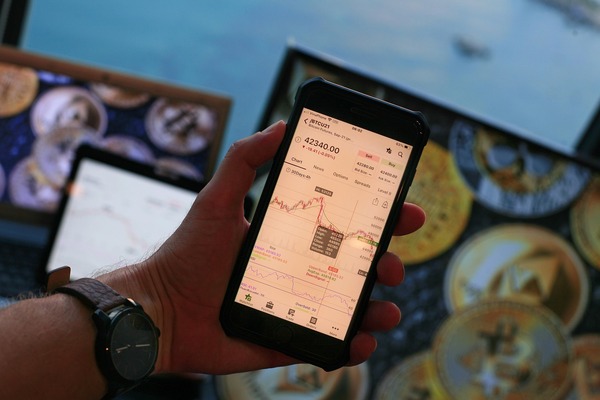
Hand holding a smartphone with a price chart

Choose How the Rate Is Set

Fixed and floating modes define the receiving amount at different points. Compare them for the same payout asset and network, since changing the destination also changes the route being quoted.

Fixed Rate

The fixed option has a 1% service commission plus the applicable network fee. We hold the stated receiving amount for 15 minutes under the order terms. If the market moves by more than 1.3% before the deposit is detected, we may offer a refund or an exchange at the market rate.

Floating Rate

The floating option has a 0.5% service commission plus the applicable network fee. The first receiving amount is an estimate; the final rate follows the market when the funds reach the service balance and the exchange is carried out. The payout can be higher or lower than the estimate.

Send XMR Using the Current Order Details

After you create the order, use its XMR deposit address and required amount. Verify the address in your sending wallet, and check whether that wallet deducts its own transfer fee from the amount you enter.

Do not reuse deposit details from another order or send a different amount expecting the original quote to remain valid. If a transfer has already been made incorrectly, contact support with the order ID and transaction information.

From Confirmation to Wallet Payout

The incoming XMR transfer passes 40 network confirmations. After the funds are credited to the service balance, processing includes an additional two minutes before the rate and exchange steps described for the chosen mode.

The order then proceeds to conversion and payout to the receiving address you provided. Blockchain confirmation, exchange processing and the destination network are separate stages; the 15-minute fixed-rate window is not a promise of total completion time.

Follow the Order

Use the order page or ID supplied when the exchange is created to check its status. Save it before closing the browser, especially when the transaction is being sent from a separate wallet.

When a Step Needs Attention

A missing deposit, different amount, unavailable payout route or incorrect receiving detail can require an individual review. Send the order ID, expected amount and transaction hash to support; never send a private key or seed phrase.

Check Before You Press Send

The most useful check is a short one performed against the current order, not a copied quote or an earlier deposit address. Confirm these details while both your sending wallet and receiving wallet are open.

  1. The order asks for the XMR amount your wallet will actually deliver.
  2. The payout asset and network match the receiving wallet.
  3. The receiving address is complete and belongs to the intended destination.
  4. The fixed or floating rule and net receiving amount suit your decision.

Frequently Asked Questions

These answers cover the points most likely to change an order after it is created. For a live transaction, use the details shown on its order page.

Is registration required to exchange XMR?

A standard order does not require a trading account. Certain orders can still require additional review under our AML Policy.

Do 40 confirmations mean the payout is immediate?

No. Confirmation is one stage. Service-balance credit, exchange processing and the receiving network's payout follow separately.

What happens if I send a different XMR amount?

The original quote may no longer apply. Keep the order ID and transaction hash, then contact support so the deposit can be reviewed.

Can I change the destination after paying?

Do not assume a payout address or network can be changed after an order is paid. Check all receiving details before sending and contact support immediately if you notice an error.